


TechCity may earn a commission when you buy through links on this page.
If you are deciding whether to upgrade your Windows 10 PC, you now have more time than you thought. Microsoft extended free security updates for home users to Oct. 12, 2027. But laptop prices are climbing because of a memory chip shortage, so waiting a year is not automatically the cheaper choice. Here is how to decide, with laptop picks at three budgets.
The short version
Windows 10 owners can stay protected until Oct. 12, 2027, for free or $30. Whether to buy now depends on whether your PC can run Windows 11 and whether it still works well.
- Microsoft’s Extended Security Updates now run to Oct. 12, 2027, and you can enroll for free through Windows Backup, with 1,000 Rewards points, or for $30.
- If your PC can run Windows 11, the upgrade is free and you do not need a new computer.
- If laptop prices rise another 10% to 25% before next fall, a $699.99 laptop could cost about $70 to $175 more.
- Our picks: the HP 14-inch Chromebook Plus at $399 in a sale Best Buy says ends Oct. 11, the Acer Swift Air 14 at $699.99 and the Apple MacBook Neo at $699, all in stock at Best Buy when we checked on Oct. 9.
- The downside: all three picks have 8GB of memory, which you cannot add to later.
Not sure where your PC stands? Our guide to the Windows 10 security update extension shows how to check your enrollment in two minutes.
Should you upgrade your Windows 10 PC now? Three questions
1. Can your PC run Windows 11?
Open Settings, go to Update & Security, then Windows Update. If your PC qualifies, Windows usually says so there and offers the upgrade. If it does, upgrade for free and keep your computer. That is the cheapest fix there is.
2. Does your PC still work well?
If it cannot run Windows 11 but it still starts fast and handles what you do, enroll in Extended Security Updates and keep using it. According to Microsoft’s ESU page, home users can enroll for free by syncing PC settings with Windows Backup, by redeeming 1,000 Microsoft Rewards points, or with a one-time $30 purchase. Any of the three covers you to Oct. 12, 2027.
Before you enroll, make sure your PC is on Windows 10 version 22H2 with the latest updates, and sign in with a Microsoft account that is an administrator on that PC. One enrollment can cover up to 10 PCs on the same account.
If it is just slow, try our fixes for a slow computer before you shop.
3. Will waiting save money?
Probably not. Memory and storage chips are in short supply, and Micron, the largest US memory maker, expects supply to get tighter through 2028. Over the past year, major PC makers raised prices or warned they would, by roughly 10% to 25%. Our RAM shortage explainer has the details.
We did the math on what waiting could cost. If prices climb by that same 10% to 25% again before next fall, a laptop that costs $699.99 today would cost about $770 to $875. That is about $70 to $175 more for the same machine. It is a scenario, not a forecast, but it shows why we would not hold out for a price drop.
It has already happened to one of our picks. Apple launched the MacBook Neo in March at $599. It now sells for $699, at Apple and at Best Buy, after a $100 price increase.
Our take: if your PC is failing, buy now. If it works and qualifies for free updates, keep it, but plan to buy before prices move again, not at the October 2027 deadline when everyone else does.
What keeping vs. buying costs per year
| Option | Price | Cost per year |
|---|---|---|
| Keep your PC with ESU (to Oct. 12, 2027) | Free or $30 | $0 to $30 |
| HP 14-inch Chromebook Plus | $399 (sale ends Oct. 11) | About $100 a year over 4 years |
| Apple MacBook Neo | $699 | About $175 a year over 4 years |
| Acer Swift Air 14 | $699.99 | About $175 a year over 4 years |

Laptop picks by budget
We have not tested these laptops ourselves. We picked them from the makers’ spec sheets, owner reports and our own price checks, and we covered several of them in more depth in our budget laptop guide.
About $400: HP 14-inch Chromebook Plus
Best for: people who use their Windows 10 PC only for a web browser, email, YouTube and Google Docs.
Why we picked it: At $399 in Best Buy’s Techtober sale when we checked on Oct. 9, down from $599, it is the cheapest way off an aging PC that we would recommend. Best Buy says the sale ends Sunday, Oct. 11, so the price may go back up after that. It has a sharp 14-inch touchscreen and 8GB of memory, which is plenty for a Chromebook.
The downside: it does not run Windows. Desktop programs you install on Windows today will not work, and 128GB of storage is small.
Skip if: you use any Windows-only program, such as tax, accounting or older printer software.
Check price at Best Buy (paid link)
About $700: Acer Swift Air 14

Best for: Windows 10 owners who want to stay on Windows without spending much more than $700.
Why we picked it: It is light at 1.19 kilograms, about 2.6 pounds, with a 14-inch, 120Hz screen and a 512GB drive. It comes with Windows 11, so all your Windows programs carry over.
The downside: 8GB of memory, soldered in, so you cannot add more later. That is fine for browsing and Office, tight for heavy multitasking.
Skip if: you keep dozens of tabs and apps open, or edit video.
Check price at Best Buy (paid link)
About $700, if you will switch: Apple MacBook Neo
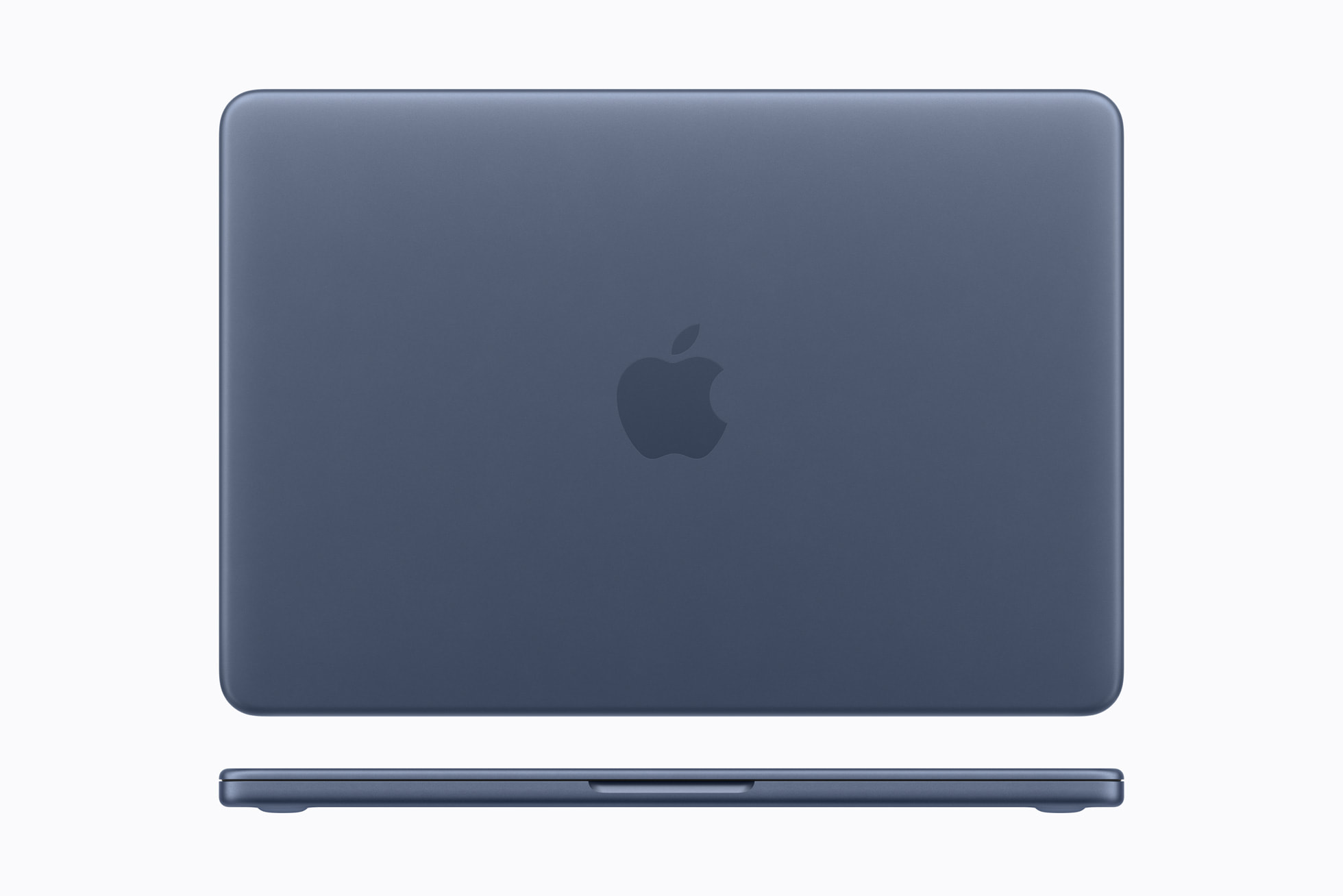
Best for: people ready to leave Windows, especially iPhone owners.
Why we picked it: Apple claims up to 16 hours of battery, it weighs 2.7 pounds, and it has no fan, so it runs silently. The 13-inch screen is sharper than most laptops at this price.
The downside: 8GB of memory you cannot upgrade, 256GB of storage, and a learning curve if you have used Windows for years.
Skip if: you rely on Windows-only programs.
Check price at Best Buy (paid link)
Need more memory?
All three picks have 8GB. If your work needs 16GB, expect to pay more: the cheapest 16GB laptop in our budget guide was $849.99 when we checked on Oct. 1. Because memory is usually soldered in, buy the amount you will need for years.
What to do this week
- Check whether your PC can run Windows 11 in Windows Update. If yes, upgrade for free.
- If not, enroll in Extended Security Updates now using the free Windows Backup option.
- If your PC is failing, buy now instead of waiting for holiday sales.
- Put Oct. 12, 2027 in your calendar as the real deadline.


