

Welcome to a practical guide that turns everyday convenience into a smarter, safer home. In this article you will find high-impact, easy-to-implement smart home automation ideas that work for renters, homeowners, and small offices. Whether you want energy savings, better security, or just a more delightful daily routine, these concepts give you a clear starting point and upgrade path.

Why automation matters now
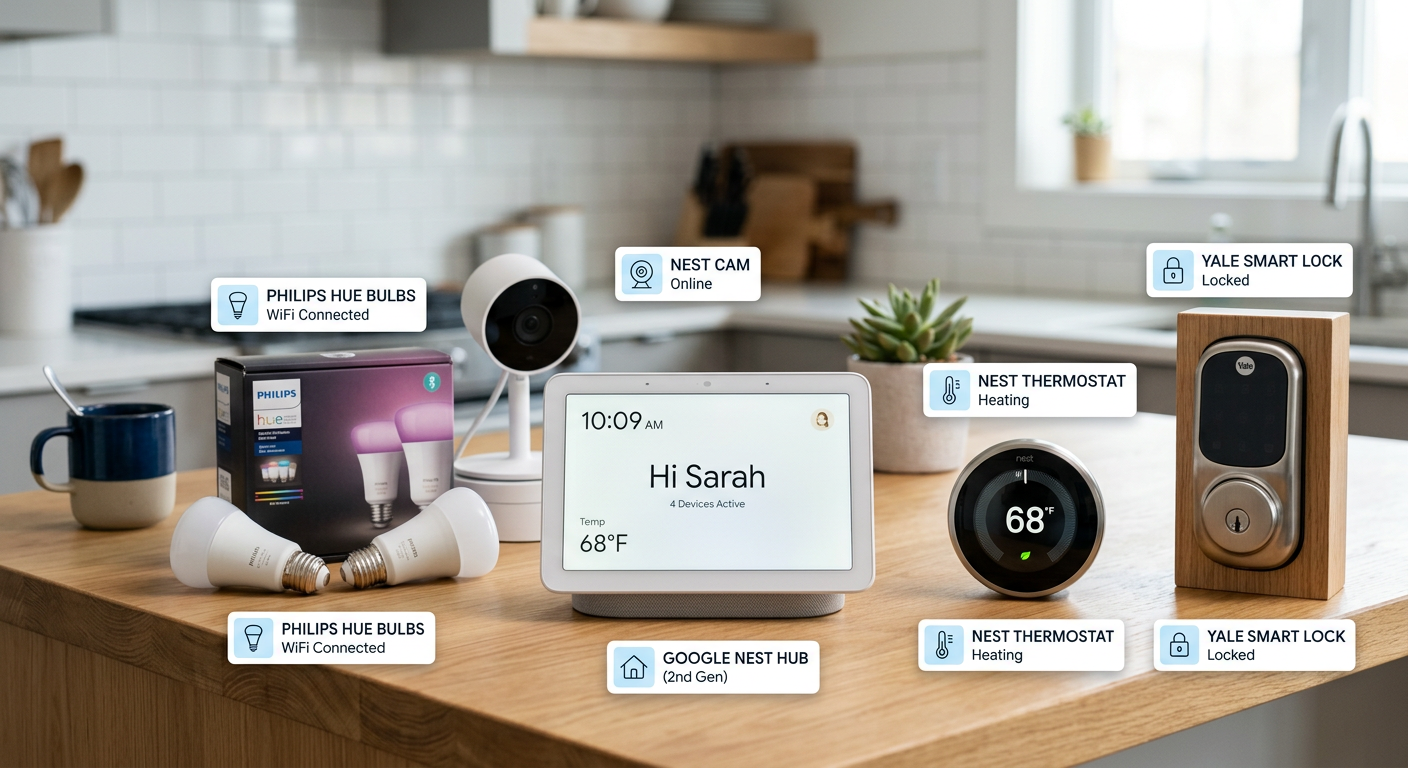
Smart automation is more than gadgets, it’s about removing friction. Imagine lights that know when you’re home, a thermostat that learns your schedule, and routines that run with a single tap or voice command. These systems increase comfort, reduce energy bills, and improve safety. They also scale: start with one room and expand to a full connected home over time.
Core automation ideas to try this weekend
1. Hands-free entry and smart locks
Swap a traditional deadbolt for a smart lock to enable remote access, temporary codes for guests, and automatic locking when you leave. Pair this with automated arrival routines that turn on lights and disarm security cameras when your phone is detected on the home Wi-Fi.
- Why try it: boosts convenience and reduces key handoff hassles.
- Example setup: smart lock + geofencing routine in your smart home app.
(Read a practical review of a popular smart lock on TechCity for installation tips.)
2. Lighting scenes and presence-based lighting
Use smart bulbs and motion sensors to create scenes for morning, work, and movie night. Automate lights to follow occupancy so you never fumble for switches and you save power in unused rooms.
- Pro tip: use warm color temps for evenings to support sleep, and cooler lighting for daytime focus.
3. Thermostat automation and zoning
Install a smart thermostat and add temperature sensors to key rooms. Automate temperature schedules based on occupancy and time of day, or enable adaptive learning modes that optimize for comfort and savings.
- Result: meaningful energy savings and a more consistent comfort level.
4. Voice and app routines for daily rituals
Create simple routines that combine multiple devices: a single "Good Morning" that raises the thermostat, opens smart blinds, starts a kettle, and reads the day’s weather on a smart speaker.
- Try: a “Leaving Home” routine that kills nonessential devices, lowers the thermostat, and arms security.
5. Smart cameras plus automated alerts
Use indoor and outdoor cameras with person detection and activity zones. Automate alerts to your phone only for important events, and integrate with lighting so exterior lights come on when motion is detected at night.
- Privacy note: choose cameras with strong encryption and review cloud retention policies.
6. Water and leak detection automations
Place water sensors near water heaters, under sinks, and behind appliances. Automate notifications and a water-shutoff routine to limit damage when a leak is detected.
- Why it matters: prevents costly repairs and long-term mold issues.
7. Entertainment automation and multiroom audio
Use your smart TV, smart speakers, and soundbars as scenes in your automations. For example, a "Movie Night" routine dims lights, adjusts thermostat, and routes audio to preferred speakers.
- Tip: set "Do Not Disturb" modes for specific hours to avoid notifications during shows.
8. Kitchen automations for smoother cooking
Connect smart plugs to countertop appliances or use a smart display for timers, recipes, and shortcuts. Automate hood fans to run when a smart oven reaches a set temperature, or have lights change color when a timer ends.
Tools and platforms: pick a reliable hub
You don’t need one brand for everything, but you should pick a primary ecosystem for the best experience. Google Home, Amazon Alexa, and Apple HomeKit are the common choices, each with pros and cons in compatibility, privacy, and automation flexibility. For power users, open-source hubs like Home Assistant unlock advanced automations and local control.
For local perspective and product reviews, TechCity regularly covers smart home gear and app updates to help you pick the right hub for your region.
Practical setup checklist
- Start small: pick one room or problem to solve.
- Choose a primary controller or app for routines.
- Use secure passwords and enable two-factor authentication on accounts.
- Test automations and set sensible notification levels to avoid fatigue.
- Keep firmware up to date for security and reliability.
Budget ideas by level
- Under $100: smart plugs, smart bulbs, a basic smart speaker.
- $100–$500: smart lock, smart thermostat, indoor camera.
- $500+: multiroom audio, whole-home sensors, professional-grade cameras.
Integration examples and workflows
- Arrival automation: geofence detect -> disarm camera -> unlock door -> turn on hallway lights.
- Night safety routine: close smart blinds -> turn on exterior lights -> arm perimeter sensors.
- Energy saver: away mode -> lower thermostat -> turn off noncritical plugs -> reduce lighting levels.
Security and privacy best practices
- Use unique passwords for device accounts, and enable two-factor authentication.
- Prefer local control and offline capabilities when possible.
- Segment smart devices on a separate guest Wi-Fi network to limit exposure.
- Review cloud storage and retention policies for cameras and voice recordings.
Frequently asked questions
What are the easiest smart home automation ideas for beginners?
Start with smart plugs, a smart speaker, and a couple of smart bulbs. Create simple routines like automatic lights at sunset or a bedtime scene that turns off devices and locks doors.
Can I automate my home without a subscription service?
Yes, many devices offer core functionality without subscriptions. However, advanced cloud features like face recognition in cameras or extended video storage often require paid plans.
Are smart home automations secure?
They can be secure if you follow best practices: strong passwords, separate networks, regular updates, and minimal cloud dependence for sensitive controls.
Will smart automations save me money?
Yes, especially through thermostat scheduling, presence-based lighting, and smart plugs for standby power. Savings compound over months.
Do automations work if my internet goes down?
Some devices and local automations continue to work offline, but cloud-dependent features and remote access will be limited. Choose devices that support local control for critical automations.
How do I choose the right ecosystem for my country?
Consider device availability, local language support, regional integrations, and whether the ecosystem respects local privacy norms. TechCity offers region-aware reviews and comparisons to help decide.
Next steps and rollout plan
- Pick one use case, like entry automation or energy savings. 2. Buy one reliable device and test it for a week. 3. Expand to adjacent rooms and add sensors gradually. Keep a log of what works so you can refine automations.
Ready to upgrade your home?
If you want ongoing product reviews, how-tos, and regional smart home coverage, visit TechCity for curated guides and local buying advice. Start by exploring smart lock installation tips and app-specific routines to get the most from your devices.
Build smarter, not more complicated
Smart home automation is about thoughtful choices, not the most gadgets. Start with high-impact automations that save time, money, or stress. Then expand, iterate, and keep security front of mind. When you design around real routines, the technology fades into the background and life gets simpler.
Visit TechCity
Explore more guides, product reviews, and local market insights at https://techcityng.com to plan your next smart home upgrade.