

Digital wallets make payments fast, convenient, and increasingly normal, but that convenience also creates new risks. If you use one for shopping, transfers, transit, or crypto, you need more than a strong password, you need habits that make it hard for anyone else to get in. The good news is that most of the best protections are simple, free, and take just a few minutes to set up.
In this guide, we’ll break down how to secure digital wallets without the jargon. You’ll learn the practical steps that matter most, what threats to watch for, and how to build a routine that keeps your money safer whether you’re in Lagos, London, New York, or anywhere else in a connected world.
Why Digital Wallet Security Matters
A digital wallet can hold payment cards, bank links, loyalty points, transit passes, and sometimes crypto assets. That means a single compromised app can expose a lot more than one payment method. The FTC warns that if a wallet is stolen or compromised, recovery can be difficult or impossible, especially with crypto-related funds. (consumer.ftc.gov)
Here’s the thing, attackers usually don’t need to “hack” your wallet in a movie-style way. They often rely on phishing, reused passwords, SIM swapping, malware, or a lost phone with weak device protection. That’s why securing the wallet is really about securing the whole path to it, your phone, your email, your login methods, and your habits. (consumer.ftc.gov)
Start With the Device Itself
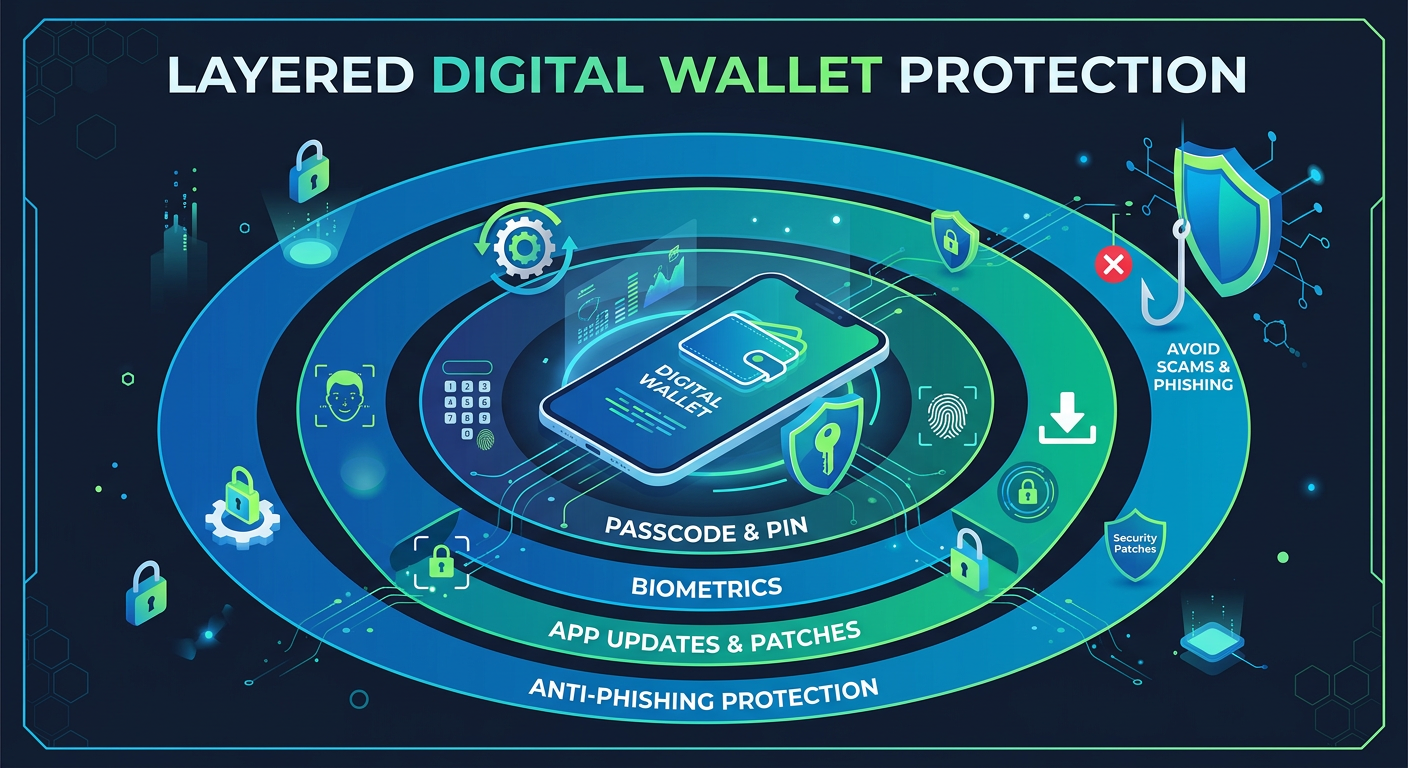
Your phone is the front door. Use a strong passcode, not a simple four-digit code that’s easy to guess. Turn on biometric unlock if your device supports it, and make sure screen lock activates quickly when the phone is idle.
Also keep your operating system and wallet apps updated. Security patches often close holes that criminals actively look for, and delays give attackers more time to exploit known weaknesses.

Use Strong Authentication Everywhere
Two-factor authentication is one of the most important protections you can enable. The FTC recommends turning it on for sensitive accounts, and CISA says MFA helps prevent unauthorized access even when passwords are compromised. (consumer.ftc.gov)
If possible, choose an authenticator app or a security key over SMS codes. SMS can be intercepted through SIM swapping or other account takeover tricks, while phishing-resistant methods are harder to steal. CISA specifically recommends phishing-resistant authentication for stronger mobile security. (cisa.gov)
How to Secure Digital Wallet Access
The most effective wallet protection starts before money moves. Treat your wallet login like your bank account, because in practice, that’s exactly what it is.
Use a Unique Password
Never reuse a password from email, social media, or another financial app. If one service gets breached, reused passwords let attackers try the same login elsewhere. The FTC explicitly warns that password reuse is a common path to account takeover. (consumer.ftc.gov)
A password manager can help you create and store unique passwords without having to remember them all yourself. If your wallet supports passkeys, consider enabling them, since passkeys are designed to be more secure than password-only logins and are increasingly supported in modern identity systems. (nist.gov)
Lock Down Your Email Account Too
Your email is often the reset key for your wallet. If someone gets into your inbox, they may be able to reset your password and take over the account.
Secure your email with a strong password, MFA, and recovery options that you actually control. Review recovery phone numbers and backup emails regularly so a stale number does not become your weakest link.
Watch Out for Phishing
Phishing remains one of the easiest ways for attackers to steal wallet credentials. Fake login pages, urgent “verification” messages, and QR-code scams are all common tactics. TechCity has previously reported how phishing and malicious apps continue to target users through fake login pages and other deceptive methods. (techcityng.com)
A simple rule helps: never log in through a link in an unexpected message. Open the app directly or type the official address yourself. If a message claims your wallet is locked or your payment failed, pause before you tap.
Everyday Habits That Reduce Risk
Security is not just a setting, it’s a routine. A few small habits can dramatically cut your exposure.
Review Linked Cards and Bank Accounts
Check what’s connected to your wallet at least once a month. Remove old cards, expired payment methods, and accounts you no longer use. The fewer payment sources stored, the less damage a breach can do.
Turn On Transaction Alerts
Use instant notifications for payments, login attempts, and transfers. If something happens without your approval, you’ll know quickly enough to freeze activity or contact support.
Avoid Public Wi-Fi for Sensitive Transactions
Public networks are convenient, but they are not ideal for financial activity. If you must use one, wait until you’re on a trusted network or use your mobile data. It’s a small inconvenience that can prevent a big problem.
Keep Your Wallet Balance Limited
If your wallet allows it, avoid storing more money than you need for routine use. Keeping only a working balance limits your exposure if the account is ever compromised.
What to Do if You Suspect a Problem
Act fast if your phone is lost, your wallet logs in from a strange location, or you see unfamiliar transactions. Change passwords immediately, revoke active sessions, and contact your wallet provider and bank.
If crypto is involved, urgency matters even more. The FTC notes that crypto transfers are often irreversible, which makes prevention and rapid response critical. (consumer.ftc.gov)
Freeze, Then Investigate
Temporarily disable the wallet if the app supports it. Check whether the issue came from the device, the email account, a phishing link, or a stolen SIM. This helps you fix the real problem instead of only treating the symptom.
Update Other Accounts Immediately
If one wallet credential is exposed, assume other accounts may be at risk too. Change passwords for your email, banking apps, and any services that share recovery information.
A Smarter Security Mindset
The best way to secure digital wallets is to think in layers. Strong device protection, unique passwords, MFA, phishing awareness, and regular account reviews all work together. No single step is perfect, but together they make your wallet much harder to attack.
That mindset matters whether you’re a consumer paying for groceries, a founder testing a fintech app, or an SME managing mobile transactions across markets. Security is not about fear, it’s about making it expensive and frustrating for the wrong person to get in.
Take Action Now
If you use a digital wallet, spend 15 minutes today tightening it up. Turn on MFA, change any reused passwords, check your recovery settings, and review the cards linked to the app. If you want more practical tech guidance, explore more stories and tutorials at TechCity.
Conclusion
Digital wallets are here to stay, and that’s a good thing. They make money movement faster, cleaner, and more flexible. But with that convenience comes responsibility, and the smartest users are the ones who build a few protective habits before something goes wrong.
Start with the basics, lock the device, strengthen authentication, avoid phishing traps, and keep a close eye on activity. Do that consistently, and you’ll have a wallet that’s not just convenient, but genuinely safer to use.
How often should you review your wallet settings?
Once a month is a good baseline. Review linked cards, login methods, alerts, and recovery information.
Is biometric login enough on its own?
No. Biometrics are helpful, but they should be paired with a strong passcode and, where available, MFA.
Are SMS verification codes safe?
They are better than no second factor, but authenticator apps or security keys are stronger because SMS can be intercepted.
Should you store large balances in a wallet?
Usually no, unless you need the funds there for a specific reason. Keeping less money in the wallet reduces risk.
What is the biggest wallet threat for most users?
Phishing and account takeover are among the most common. Attackers often target login credentials rather than the wallet software itself.
What should you do if you lose your phone?
Use remote lock or wipe features immediately, change your wallet password, revoke sessions, and notify your provider and bank.
Can a password manager help secure digital wallets?
Yes. It helps you generate unique passwords and reduces the temptation to reuse weak ones.