
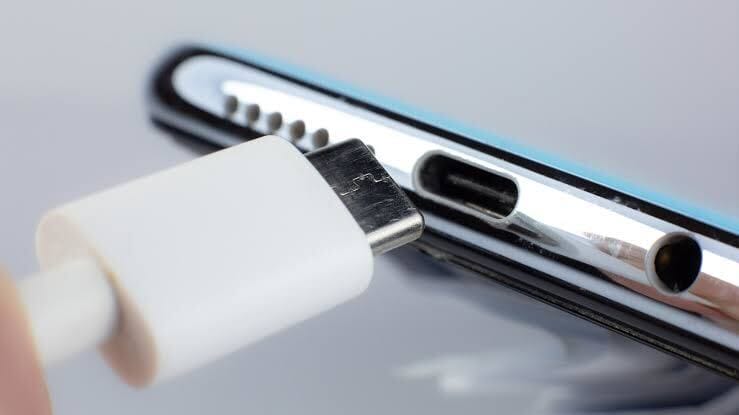
If your phone refuses to charge or only charges when the cable is positioned a certain way, the problem may not be your charger. In many cases, dust, lint, and dirt trapped inside the charger port are to blame.
This issue is especially common if you keep your phone in your pocket or bag, where tiny particles can slowly build up over time. The good news is that you can often fix this problem at home without visiting a repair shop — as long as you do it carefully.
Here’s a step-by-step guide on how to clean out your charger port safely when your phone won’t charge.
Signs Your Charger Port Needs Cleaning
Before you start, look out for these common signs:
- Your phone charges slowly or not at all
- The charging cable feels loose
- Charging only works when the cable is held at an angle
- The phone repeatedly connects and disconnects while charging
If you notice any of these, debris inside the port could be blocking the connection.
What You’ll Need
You don’t need special tools. Most of these items are easy to find:
- A wooden toothpick or plastic dental pick
- A can of compressed air (optional but helpful)
- A flashlight or phone torch
- A clean, dry surface
Avoid using metal objects like needles or pins, as they can damage the charging contacts.
How to Clean Your Phone’s Charger Port
1. Turn Off Your Phone
Always power off your phone before cleaning. This reduces the risk of electrical damage.
2. Inspect the Port
Use a flashlight to look inside the charger port. You may see lint, dust, or compacted debris stuck at the bottom.
3. Gently Remove Debris
Insert the wooden toothpick carefully into the port and gently scrape the sides and bottom. Move slowly and avoid pressing too hard.
You’ll likely be surprised by how much lint comes out.
4. Use Compressed Air (Optional)
If you have compressed air, give the port a few short bursts to blow out remaining dust. Hold the can upright and do not spray continuously.
5. Test the Charging
Once you’re done, turn your phone back on and plug in your charger. If the phone charges normally, the issue is resolved.
What Not to Do
- Do not use water or cleaning liquids
- Do not insert metal objects
- Do not use excessive force
- Do not blow into the port with your mouth (moisture can cause damage)
When Cleaning Isn’t Enough
If your phone still won’t charge after cleaning, the issue could be:
- A faulty charging cable or adapter
- A damaged charging port
- Battery wear or internal hardware problems
In this case, it’s best to visit an authorized repair center.
How to Prevent Charger Port Dirt in the Future
- Avoid keeping your phone in dusty pockets
- Clean your charger port every few months
- Use a port cover if you’re often in dusty environments
Cleaning your charger port is a simple fix that can save you time and money. With just a few minutes of careful cleaning, your phone may start charging like new again.